From Reading to Interacting-Testing GPT-6 Intelligent UI in EC

Hello, I’m Mia Sato, an AI Researcher at GDX.
One recent ChatGPT update that caught my attention is Intelligent UI, a new GPT-6 capability announced on October 7, 2026. OpenAI says GPT-6 can combine text, visuals, and interactive elements to create interfaces that users can work with directly inside a conversation.
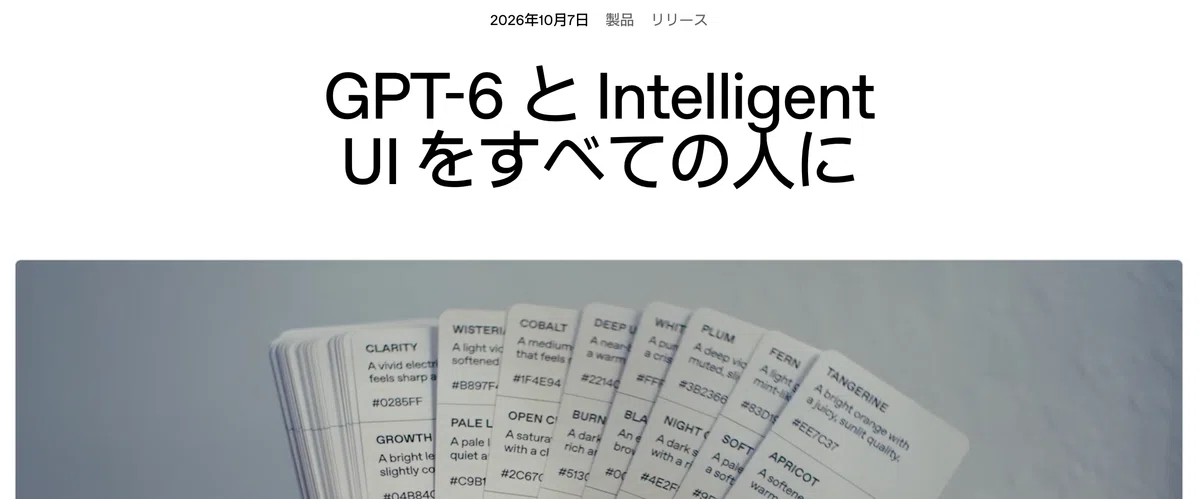
Source: OpenAI, “GPT-6 and Intelligent UI for everyone”
Until now, most ChatGPT responses have been something you read: a written explanation, a table, or perhaps a chart.
Intelligent UI changes that. Depending on the question, ChatGPT can now build an interactive screen with buttons, input fields, sliders, charts, and other controls that let you work with the answer instead of simply reading it.
When I first saw the feature, I assumed it was mainly about making responses easier to understand visually.
But after testing it with an e-commerce use case, I found the more interesting change had very little to do with presentation.
The AI was no longer just giving me an answer. It was also building the interface I needed to explore that answer and make a decision.
To see what that could mean in day-to-day operations, I used Intelligent UI to create a simple e-commerce campaign simulator.
What does Intelligent UI actually change?
Intelligent UI does not turn every ChatGPT response into an app.
If a question only needs a straightforward explanation, text may still be the best format. If you are comparing several options, the model can present them side by side. And if you need to adjust assumptions repeatedly, it can create an interface with controls such as sliders and input fields.
The key point is that there is no fixed screen waiting in advance. You explain what you are trying to do, and the AI can shape the response around that task.
OpenAI gives similar examples: side-by-side views for comparisons, interactive diagrams for explanations, and calculators created on the fly when a tool is more useful than another block of text.
OpenAI launches GPT-6 in ChatGPT and introduces Intelligent UI — K-Tai Watch / Yahoo! News
news.yahoo.co.jp
For e-commerce teams, this is where things get interesting.
Say you want to compare a few campaign scenarios. A typical workflow with ChatGPT might look like this:
Enter the campaign assumptions into ChatGPT
→ Review the result
→ Change the assumptions and ask again
Once the analysis becomes more detailed, many of us end up moving the numbers into Excel so we can change variables and compare several scenarios more efficiently.
Intelligent UI introduces a different option: have ChatGPT build the comparison tool for you inside the conversation.
I tried building an e-commerce campaign simulator
For the test, I gave ChatGPT four starting assumptions.
| Starting assumption | Value |
|---|---|
| Product price | ¥15,000 |
| Cost ratio | 50% |
| Traffic | 10,000 visits |
| Conversion rate | 2% |
I then asked ChatGPT:
“Let me adjust the discount rate, conversion rate, and traffic on screen, and show how revenue, gross profit, and units sold change in real time.”
Instead of replying with another calculation, ChatGPT created an interactive campaign simulator.

The screen included sliders for the discount rate, conversion rate, and traffic. As I changed them, revenue, gross profit, units sold, and gross margin updated immediately. There was also a comparison with the original scenario and a reset button.
For example, I could quickly test a scenario where we offer a 10% discount and assume conversion improves from 2% to 2.5%. I could simply move the controls and see the result.
What surprised me most was how little detail I had provided about the interface itself. I had not told ChatGPT where to place each control or spelled out the entire screen structure.
I had simply explained which variables I wanted to change and what I wanted to evaluate. The AI worked out a practical interface for comparing the scenarios.
And once the simulator had been created, I did not need to keep asking ChatGPT another question every time I changed a number. I could explore the scenarios myself.
That felt noticeably different from the usual ChatGPT experience. Something I could actually use had appeared inside the conversation.
To me, this is the more meaningful side of Intelligent UI. It is not simply changing how an answer looks. It can create a small, purpose-built tool at the exact point in a workflow where that tool becomes useful.
From giving answers to helping people make decisions
With a conventional ChatGPT workflow, changing the assumptions often means asking a new question each time.
“What happens with a 10% discount?”
“What about 20%?”
“What if traffic increases?”
Each question gives you another answer.
With the simulator, I only had to explain the goal once. From there, I could change the assumptions as often as I wanted and compare the results immediately.
In other words, the output was no longer a single answer. It had become a tool for thinking through multiple possible answers.
There are plenty of situations like this in e-commerce operations. Campaign planning is one example, but the same pattern appears in product comparisons, shipping estimates, inventory allocation, and advertising-budget planning. In each case, you often want to adjust a few variables and see how the outcome changes.
Until now, that has often meant creating a spreadsheet or adapting an existing template.
Intelligent UI creates another possibility: generate a lightweight comparison tool for the task at hand, use it when you need it, and move on.
Could this mean fewer one-off spreadsheets?
That was the next thing I started thinking about after the test.
In day-to-day work, we often create small spreadsheets for very temporary reasons: to compare something once, to check one campaign, or to run a quick estimate before a meeting.
If AI can create the interface only when we need it, we may not have to build every one of those tools from scratch.
Intelligent UI seems particularly well suited to situations where you want to:
Change assumptions and compare the outcome
Look at several options side by side
Run a quick calculation for a one-off decision
Recurring operational tools are a different matter.
If several people need to use the same tool every day, you may need fixed input fields, standardized formulas, saved history, access controls, and other governance features. In those cases, an existing business system or a managed spreadsheet may still be the better option.
So I do not think Intelligent UI is about replacing established systems overnight.
Its sweet spot may be the space between a text answer and a full application: work that is too interactive for a paragraph, but too temporary to justify building a permanent tool.
A polished interface does not make the underlying logic correct
The test also highlighted an important point: a tool can look ready before its business logic is ready.
In my simulator, the cost per unit was set at ¥7,500. Advertising spend, shipping costs, and payment-processing fees were not included in the gross-profit calculation.
The simulator also did not predict how much conversion would increase as a result of a discount. That assumption had to be entered manually.
So while the screen itself was immediately usable, that did not mean the calculation model was complete enough for a real campaign decision.
In a production setting, we might also need to account for shipping costs, advertising spend, payment fees, return rates, or other variables. We would also need to decide which assumptions should remain fixed and which ones users should be allowed to change.
That was a useful reminder for me: as AI gets better at building the interface, people need to pay even more attention to what sits behind it.
AI can help create the inputs and present the results clearly.
People still need to decide:
What decision are we trying to make?
Which numbers should we rely on?
Which calculation method reflects the real business?
At what point is the result strong enough to act on?
A convincing interface is not the same thing as a trustworthy business tool.
Start with the decision, not the screen
The most interesting thing about Intelligent UI, for me, is not simply that it makes interfaces easier to create.
It can change the order in which we approach a problem.
Traditionally, when we need to compare or analyze something, we may start by thinking about the spreadsheet we should build or the screen we need.
Intelligent UI makes it possible to start one step earlier, with the decision itself.
“I want to compare which campaign conditions still leave us with enough profit.”
Once the goal is clear, the AI can build an interface around it.
That shifts the human role away from deciding where every button should go and toward a more important question: what exactly are we trying to understand or decide?
Of course, an AI-generated interface or calculation should not be used blindly for an important business decision. The data, assumptions, and formulas still need to be checked.
Even so, I can imagine fewer situations where someone has to build a small tool from scratch just to compare a few scenarios once.
AI is starting to do more than generate the answer. It can also create the environment in which we explore that answer.
That is why I see Intelligent UI as more than a nicer response format for ChatGPT. It points toward a different way of working with AI: less “ask a question and read the answer,” and more “adjust the assumptions, compare the outcomes, and think through the problem in real time.”
I’m interested to see how far this kind of workflow can extend across day-to-day e-commerce operations.
References
- OpenAI, “GPT-6 and Intelligent UI for everyone” / OpenAI
- OpenAI Help Center, “Intelligent UI in ChatGPT” / OpenAI Help Center
- OpenAI Help Center, “ChatGPT release notes” / ChatGPT Release Notes
Parts of this article were created with the support of AI and then reviewed and edited by the author. The views expressed are the author’s own and do not represent an official statement or position of GDX Inc.